Free screening for systematic reviews.
Bring in your database searches, remove duplicates, screen titles, abstracts and full texts, and export a PRISMA 2020 flow diagram ready for Word. There is no account and nothing to pay, and your reviews stay in your browser.
Every feature is free for everyone. Your reviews are never sent anywhere.
How it works
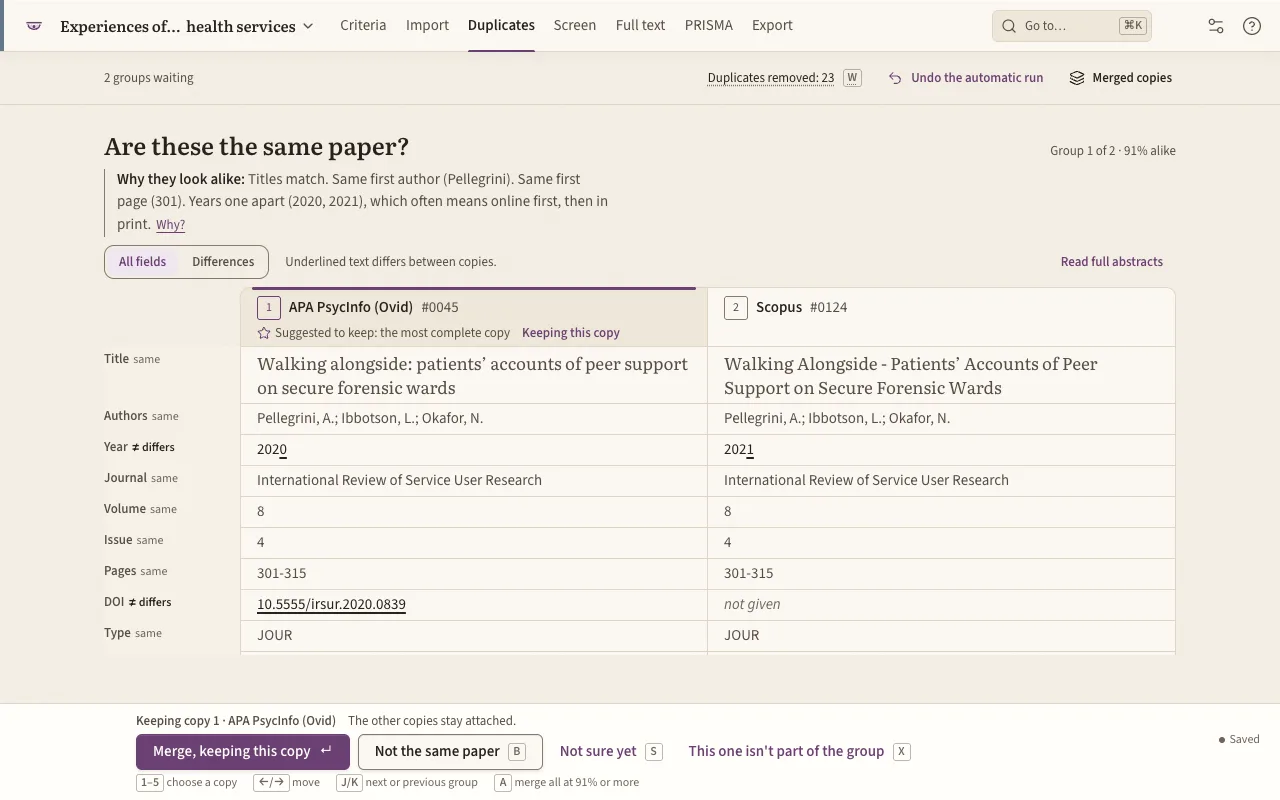
Import RIS, PubMed, Web of Science, BibTeX, EndNote XML or CSV files. Evensift checks each file’s count, merges exact copies and shows possible duplicates side by side, with the reason they look alike.
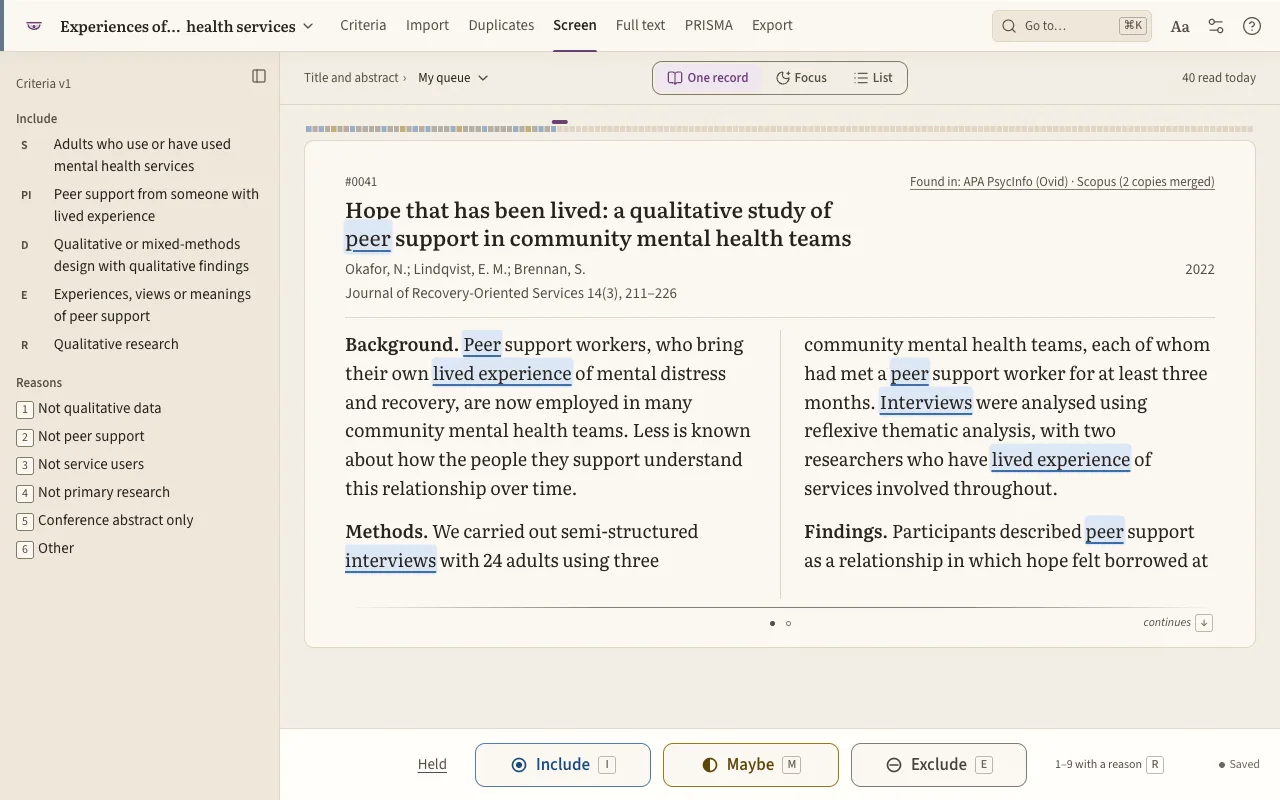
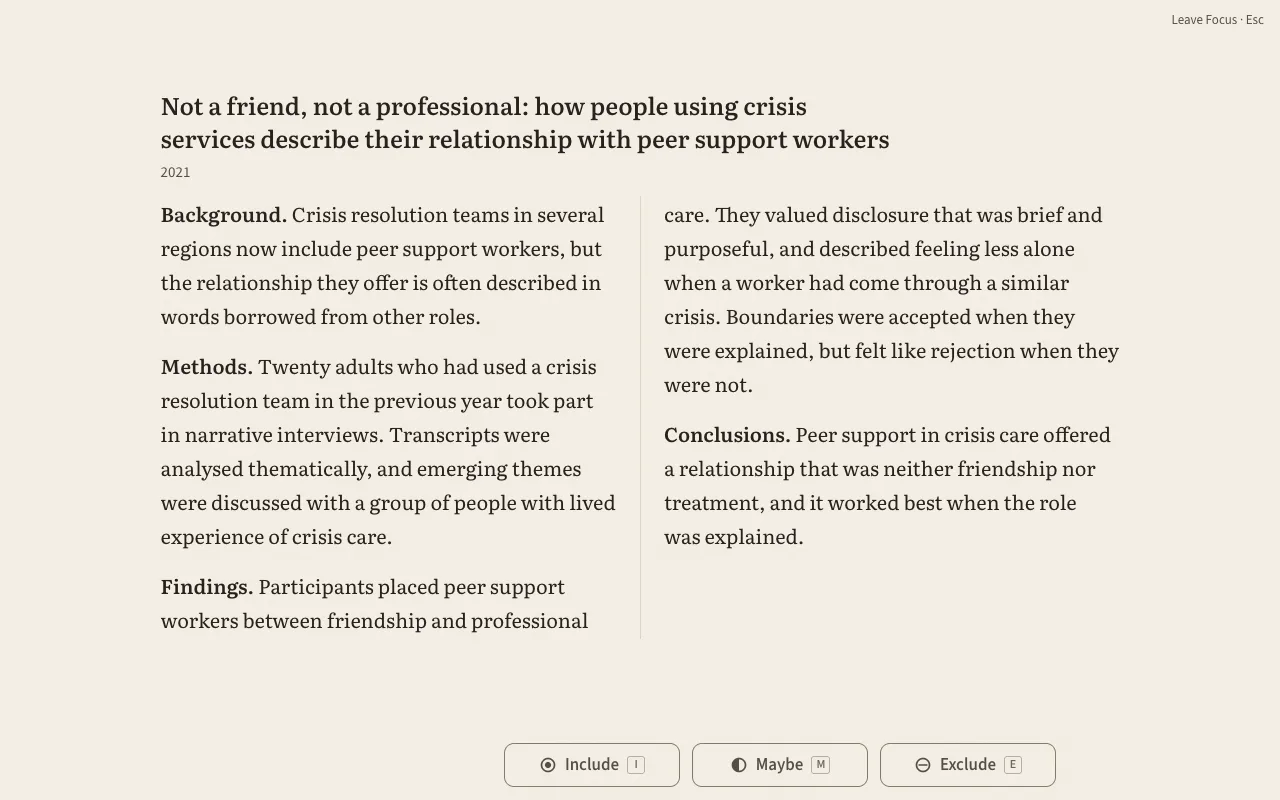
One record at a time, with Include, Maybe and Exclude side by side and your reasons on the keys 1 to 9. Focus shows the record and nothing else. Every decision can be undone.
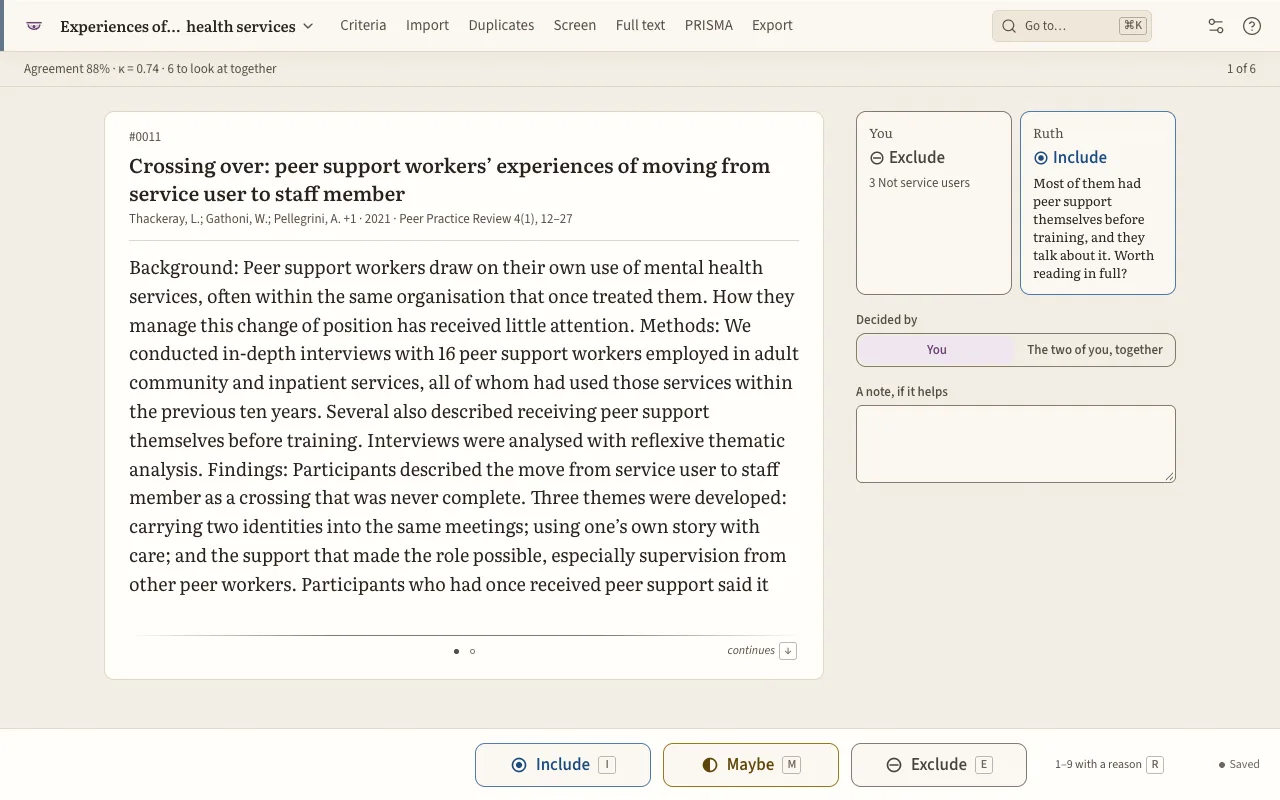
Send a colleague one file. They screen without seeing your decisions and send theirs back. Evensift shows your agreement, Cohen’s kappa and the records to talk through.
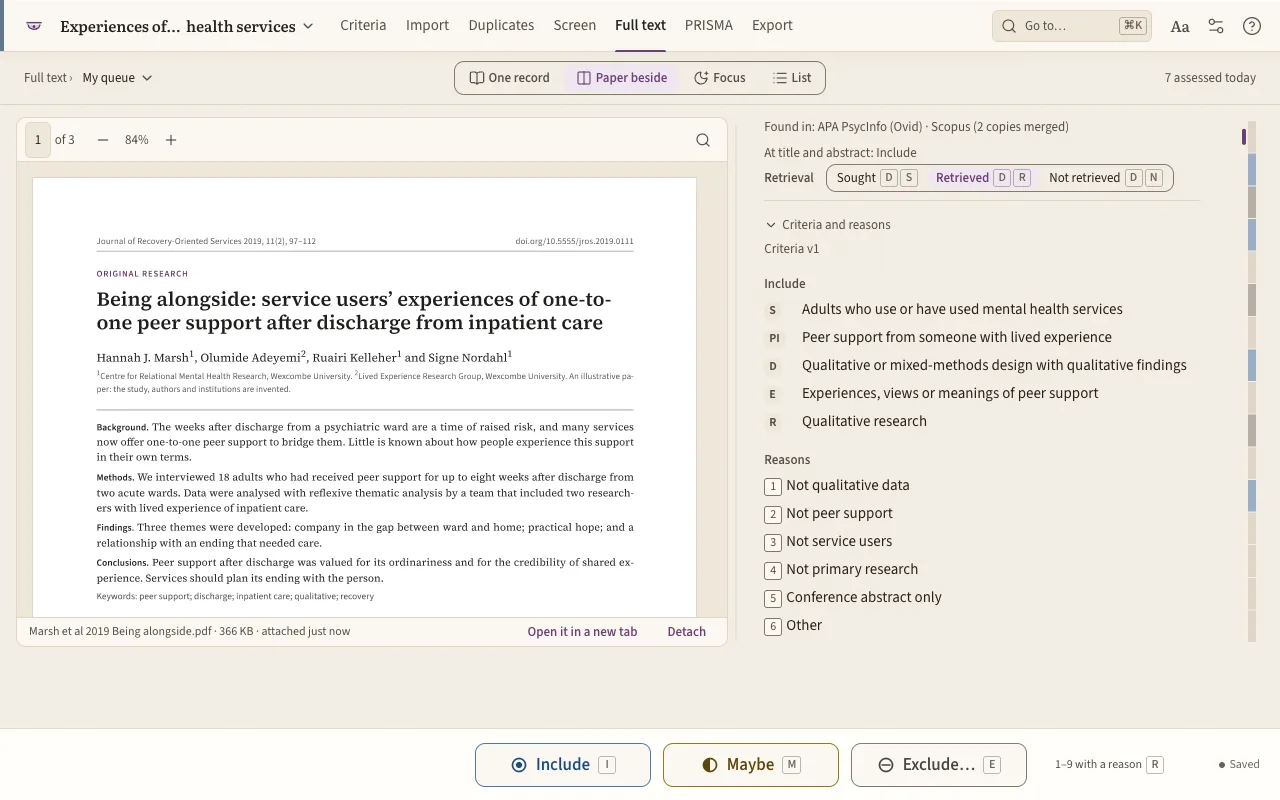
Attach PDFs and read each one beside its decision. Every full-text exclusion keeps its reason.
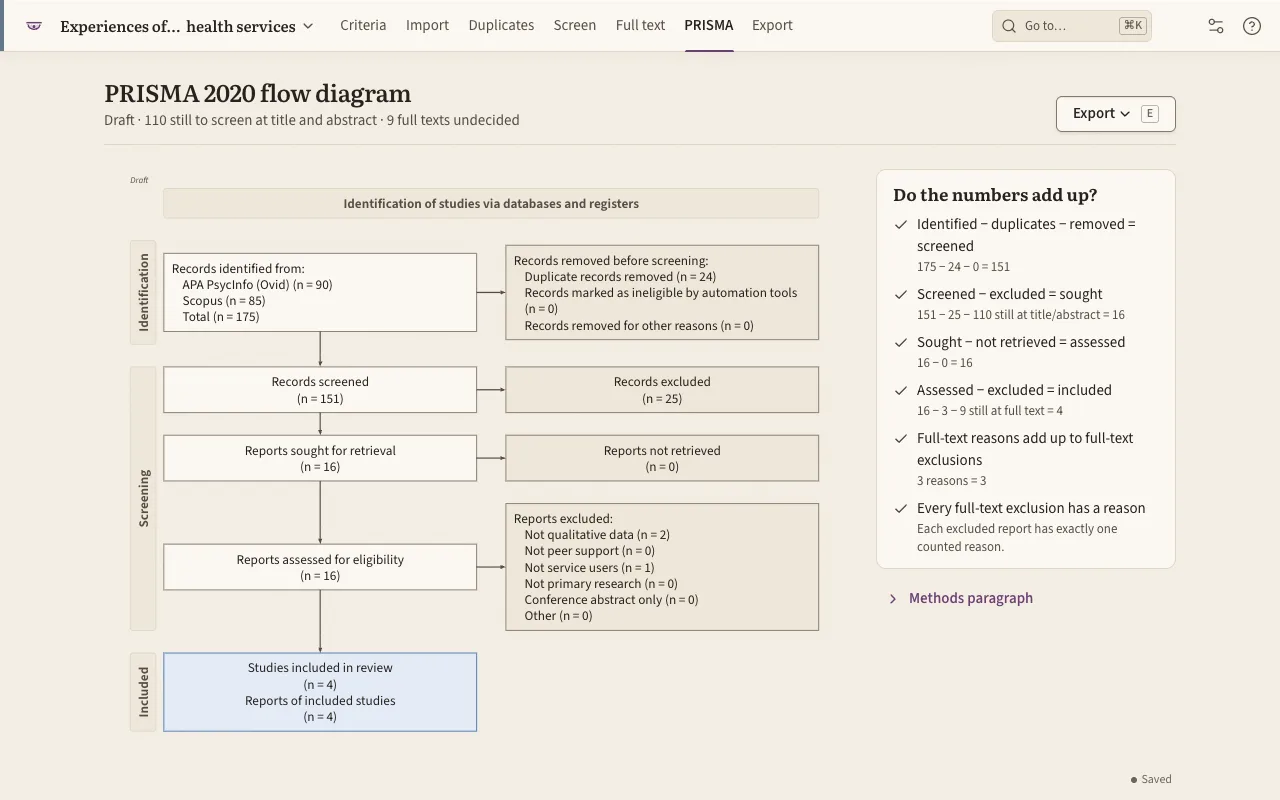
The PRISMA 2020 flow diagram draws itself from your decisions and says Draft until every record is decided and the numbers add up. Save it at its printed size for Word, a journal or a thesis.
Free, with no account
Every feature is free for everyone. There is no paid plan, no trial and nothing to sign up for.
In your browser
Reviews, decisions and PDFs are kept in this browser on this computer. They are never sent anywhere, and there are no analytics.
One backup file
A backup holds the review, every decision and every PDF. Keep it on your university drive, and use it to move a review to another computer.
Works offline
Install Evensift from your browser and it opens without a connection. In Safari, installing also keeps your reviews from being cleared after a week unused.
Questions
Is it really free?
Yes, every feature, for everyone. Your reviews are kept in your browser, not on a server, so Evensift costs very little to keep running. If it helps you, there is a coffee link at the foot of this page.
Where are my reviews kept?
In your browser, on your computer. They are never sent anywhere. Make a backup from time to time: one file holds the review, every decision and every PDF, and it opens on any computer.
Does it use AI?
No. Evensift does not screen for you. Every decision is made by a person.
Which files can I import?
RIS, PubMed (.nbib or .txt), Web of Science, BibTeX, EndNote XML and CSV. Decisions, labels and notes can also be brought across from another screening tool’s export.
Can I change how it looks?
Yes. Type, size, line spacing, colours and motion are yours to set, and there are light and dark themes.
What does it not do?
It does not do data extraction or risk-of-bias assessment. A review lives in one browser at a time; to move it, open a backup on the other computer.
Start a review
It takes a minute, and only a title is needed.
Open Evensift